
Looking for a WiserNotify alternative? Compare WiserNotify vs Reviewly.ai and discover which platform is better for Google review generation, local SEO, and multi-location growth in 2026.
You want your Google Business Profile to rank, convert, and operate smoothly—but effective Google Business Profile Management requires far more than uploading a few photos and writing a short description. To compete today, you need tight NAP consistency, properly chosen categories, intent-aligned attributes, and a steady cadence of posts, Q&A updates, and customer reviews. Layer in automation for citations, monitoring, and profile updates, then track performance with UTMs. When done correctly, you can outrank competitors and eliminate busywork—but one misstep in your management strategy can tank visibility fast.
Although Google never reveals its full formula, you can win local visibility by aligning with its three core pillars—proximity, relevance, and prominence—and the signals that power them.
Proximity weighs how close you're to the searcher, especially for “near me” and location-specific queries. Relevance measures how well you match intent, while prominence reflects how recognized you're online and offline. These pillars drive both map pack and local organic results. Proximity relies on accurate NAP data, but businesses have limited ways to actively influence this distance factor.
You strengthen relevance by matching search intent and category choices, and by sharing hyperlocal content that reflects your community. Positive ratings and keywords in Google reviews can further reinforce relevance for local queries and improve click-throughs from search.
You boost prominence through steady review velocity, photo-rich feedback, high star ratings (aim for 4.5+), and active Q&A engagement. On-page factors matter: mobile-friendly pages, solid Core Web Essentials, local schema, geographic keywords, and local authority backlinks all support visibility.
Emerging signals now include AI Overviews, real-time location data, and user behavior.
Earn clicks, keep visitors engaged, and you’ll rise together with your neighborhood.
Start with the essentials: a complete and consistent Google Business Profile anchors your local visibility and conversions. Choose your primary category with care—it’s a top Local Pack signal, and about 86% of views come from category-based searches. Given that 86% of customers use Google Maps for nearby business searches, keep your profile accurate to capture local search demand. Optimized profiles can increase visibility and attract more customers, and a well-maintained profile can lead to higher sales, making them essential for driving local traffic to businesses.
Pick the most specific primary category (e.g., “Estate Planning Attorney,” not “Attorney”) and add up to nine accurate secondary categories that reflect your core work. Categories change often—there are ~4,000 as of September 2025—so review updates regularly.
Write a 750-character description that clearly communicates your value, offerings, and service areas. Avoid promos, all-caps, and hype. Include relevant keywords naturally to boost relevance.
Upload a robust visual set: your building, team, products—at least three high-quality photos, ideally more. Keep images well lit, crisp, and current.
Showcase products and services with complete entries: names, pricing, concise descriptions, links, and images. These appear in your knowledge panel/Maps and drive targeted clicks.
Use Q&A, Posts, and Insights to engage, inform, and refine.
To strengthen your local visibility, first standardize your NAP formatting—one exact business name, address, and phone number everywhere. This matters because NAP consistency is foundational for local search success and enhances customer trust. A consistent profile also boosts engagement and visibility, and at least five reviews can increase purchase likelihood by 270%, underscoring the value of Google Reviews alongside accurate NAP. Next, audit and fix citations across major platforms and directories to eliminate conflicting variations. Then set up ongoing directory monitoring so you catch and correct changes or duplicates before they erode trust and rankings.
Even minor mismatches in your business name, address, or phone number can fracture your local visibility, so standardize every detail exactly the same everywhere.
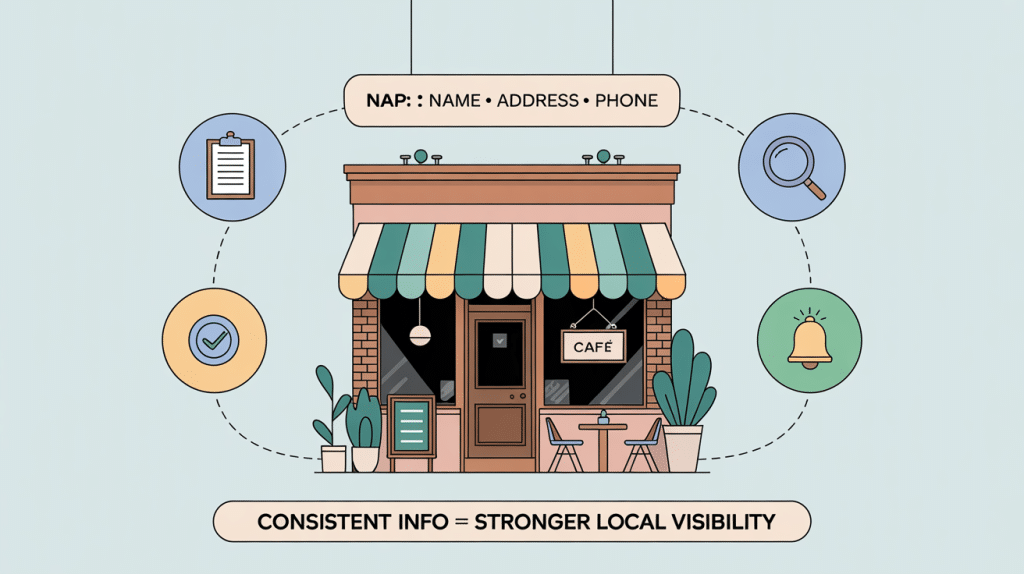
Treat your Google Business Profile as the canonical template, then mirror it across websites, directories, and social profiles.
Use USPS abbreviations for streets, two-letter state codes, and the same suite format—“Suite 200,” not “#200” or “Ste. 200.” Search engines weigh NAP consistency as a trust signal that directly influences local rankings.
Lock one phone style—“(555) 123-4567”—and never switch to “555-123-4567” or “5551234567.” Keep your legal business name intact; don’t add or drop descriptors.
Write and share a simple NAP style guide with your team. Train staff to use it in emails, ads, forms, and signage.
Use NAP software to monitor deviations. Consistency signals legitimacy, prevents duplicate listings, and protects rankings.
While your NAP style guide sets the rules, an audit enforces them across the web. Start by gathering every existing citation with tools like GMB Briefcase and Whitespark, exporting results into a spreadsheet. For multi-client workflows, GMB Briefcase is ideal for citation audits.
Run real-time lookups so your dataset reflects what customers and Google see now. Then verify NAP consistency on Google, Facebook, Yelp, and Apple Maps—match your exact formatting. Use your Google Business Profile as the single source of truth.
Add missing citations on high-authority, industry, and local directories—some require postcard verification. Clean, precise citations signal longevity and expertise, strengthen rankings, and help your community find you.
Because citations drift over time, ongoing directory monitoring keeps your NAP locked, consistent, and trusted across the web. NAP consistency ranks among the top local ranking factors, and even minor name variations can violate Google’s guidelines and split your authority. Maintaining accurate profiles is critical for customer experience and local SEO.
Monitor core directories—Google Business Profile, Apple Maps, Bing Places, and Facebook—at least monthly; add weekly checks in competitive markets. Use automated tools for real-time alerts and run quarterly audits, plus a post‑holiday verification.
To make your Google Business Profile work harder, treat categories as precision signals that match how customers search and what drives your profit. Complete profiles receive 7x more clicks than incomplete ones, so aligning categories with accurate core details and updates reinforces NAP consistency and boosts local visibility.
Start with a minimalist strategy: choose a primary category that precisely reflects your core offer, not your industry umbrella. Specificity wins—“Pediatric Dentist” beats “Dentist.” Align it with high‑volume keywords customers actually use and the services that deliver margin. Your primary category is a top local ranking factor, shapes available attributes, and appears in the local pack, so make it exact.
Add up to nine secondary categories to complete the picture—only if they represent real ancillary services and don’t confuse your purpose. Adjacent categories expand relevance across related queries, and Google still uses them in ranking.
Maintain momentum with quarterly audits, seasonal rotations when offerings shift, mirrored updates in schema and citations, and re‑verification when prompted.
Start by running an attribute gap analysis to compare your current profile against available, high-value options and what customers actually search. Incorporate insights from Performance Tracking to prioritize attributes that align with high-performing keywords and search queries.
Next, set up accessibility signals—like wheelchair access, gender‑neutral restrooms, and sign language—so you’re visible and accurate for inclusion-focused queries. Businesses with completed descriptions are more likely to rank in the top positions.
Finally, benchmark competitors’ attributes to spot differentiators you can adopt or outperform.
While most businesses tick boxes at random, you’ll use attribute gap analysis to select high‑impact Google Business Profile attributes that reinforce your value proposition and outmaneuver competitors.
You’ll compare competitor attributes, spot what they overlook, and assemble cohesive combinations that tell a complete, locally relevant story. Including detailed attributes can increase engagement because they help Google match your profile with relevant searches, and businesses that do this see notably higher interactions due to improved visibility.
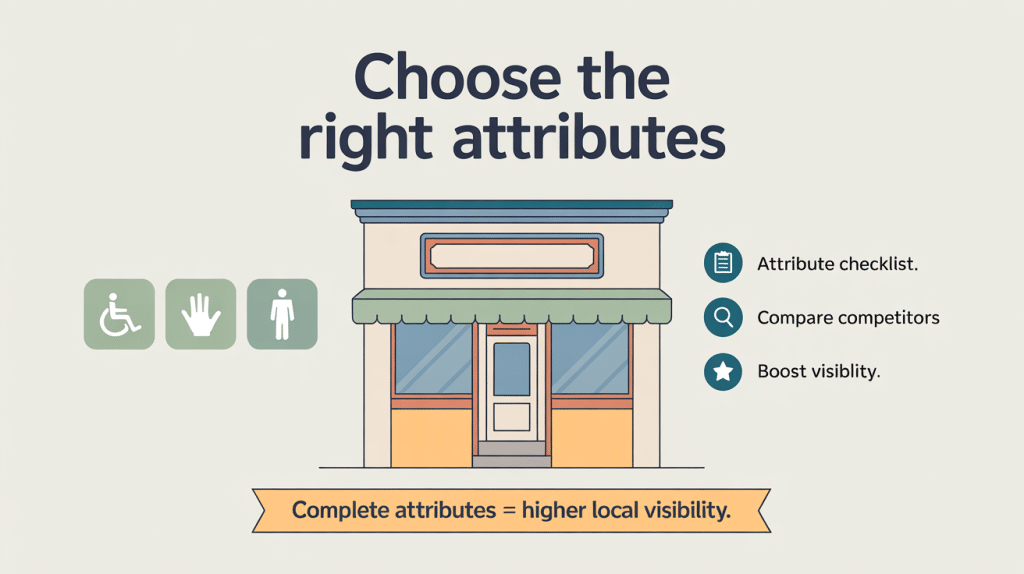
Map attributes to the customer journey: practical access early, experience mid-funnel, transactional at purchase.
Then cluster themes—service quality, speed, safety, and community—to align with top GBP search terms and neighborhood intent.
Even before you optimize services, lock in accessibility signals that boost visibility and trust. In your Google Business Profile, open Edit Profile, scroll to the Accessibility section, and click the pen icon. You must be the verified owner, logged into the correct account. If you’re a service-area business without a physical location, leave these unchecked. Optimising these fields also supports local SEO by improving your chances to appear in the Local 3-Pack when users search nearby.
Select high-impact attributes you can truly support: wheelchair-accessible entrance (3-foot-wide, step-free or with a permanent ramp; no revolving doors), accessible restroom (60x56-inch clear space, grab bars, compliant sink), accessible seating (dedicated wheelchair spaces), hearing assistance devices (borrowable), assistive hearing loop (professionally installed fixed loop), and Auracast broadcast audio (permanent LE Audio broadcaster).
These attributes boost completeness 7–12%, surface highlighted icons in Maps, and lift local-pack rankings for accessibility queries.
Approve edits, update within 48 hours, and audit quarterly.
Because attributes drive how you surface in Maps and local packs, benchmark competitors first to choose the highest-impact categories and accessibility options.
Build a simple spreadsheet to compare main/secondary categories, attributes, titles, and locations across top rivals. Track keyword usage in categories and titles, note accessibility signals they feature, and spot gaps you can own. Regular audits help you adapt to changing competitors and maintain accurate benchmarking over time.
Choose one precise main category, then add up to nine targeted secondary categories that mirror high-volume searches and your services. Use tools like Ahrefs or Semrush, but keep the spreadsheet as your source of truth.
Although a map pin looks simple, perfecting it on your Google Business Profile demands precision: place the marker on the customer entrance—not the building’s center—to avoid navigation errors, bad “Located In” labels, and misattributed photos or reviews. More high-quality reviews also improve visibility and trust, since positive reviews boost local SEO and influence customer decisions.
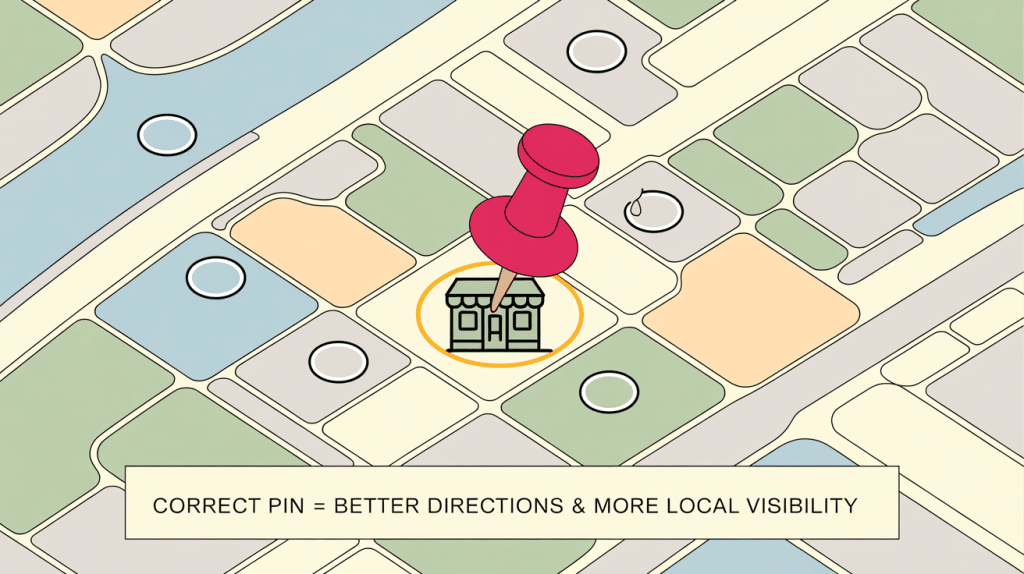
Drag the pin in Edit mode and confirm the move; don’t cram suite numbers into the main address line, or Google may snap the pin back.
Accurate placement stabilizes Popular Times and foot-traffic signals, protects you from pin-spam tactics, and keeps delivery and emergency routing on target. Inaccurate pins can also mislead Street View and Lens previews, showing the wrong storefront and confusing potential customers.
If the pin reverts or “Located In” appears incorrectly, correct the pin first; that fix often clears labels systemwide. For Service Area Businesses, new addresses may submit but not “register.” Contact Google support and ask them to register the new address on GBP; otherwise, you can rank at the old spot or outside city boundaries.
Measure impact with disciplined rank tracking: run 9x9, one-mile grids, during business hours, with consistent scan pins. Allow 48 hours—often 4–8 days—for changes to settle.
Pin accuracy gets customers to your door; hours and history keep you visible when they’re searching. Your Google Business Profile’s “open date” and consistent hours signal trust and stability—two qualities Google and your community reward. Complete and accurate profiles, including verified open dates and precise hours, also increase visibility and engagement in local searches, as emphasized in Google’s guidance on optimizing your profile.
Because Google prioritizes businesses that are open at the moment of search, accurate hours protect your visibility and conversions. Pair that with a verified, long-standing open date and you’ll earn steady ranking strength, especially in competitive markets where similar businesses fight for the same clicks. Accurate hours now influence local rankings, so maintaining consistent information directly supports higher visibility.
Show up when neighbors need you most by aligning operations with real demand. If you expand hours, update your profile immediately; if you’re closed, mark it—misleading hours breaks trust and violates guidelines.
Longevity plus reliability makes you the familiar, dependable choice.
Ready to turn casual browsers into customers? Start by building a photo-first profile. Listings with 100+ images earn up to 2,717% more direction requests and 520% more calls. Verified locations with 15+ photos per site see stronger engagement across every action. Top-ranked profiles often carry 250+ images—so volume matters. Showcasing visuals alongside Google Reviews strengthens social proof and can boost visibility in search results.
Prioritize quality, recency, and relevance. Show real experiences: staff, spaces, outcomes, and community moments. Beauty & Wellness, Home Services, and Hospitality win by updating visuals frequently; rich, current imagery directly drives bookings, foot traffic, clicks, and calls. Remember: 92% of consumers rely on photos in reviews. Google’s late-2024 purge of fake reviews increased the visibility impact of authentic reviews, making genuine photo-review pairings even more powerful.
Lean into video. Upload clips under 75 MB; Google may auto-play them in the second slot on mobile. Weekly video consumption is near-universal, and service, team, or environment reels differentiate you in mobile discovery.
Measure what matters. Monitor calls, direction requests, and website clicks in Performance. Refresh photos regularly—Rio SEO found double-digit view growth from updates.
Two moves drive outsized results: nail your categories and structure your offerings for instant action.
Pick one accurate primary category—it’s the top local ranking factor—and add only truly relevant secondary categories. Inaccurate choices misdirect traffic and kill conversions. Complete profiles are far more effective, as complete profiles are 7x more likely to get clicks than incomplete ones. Active engagement with reviews can also lift visibility because frequent interactions are rewarded by search algorithms.
Then craft complete, location-aware service listings. When search intent matches detailed offerings, you can lift conversions up to 3.2x and drive 80–300 monthly interactions without extra clicks.
Lead with your most-booked or popular items at the top of your menu, priced where appropriate, and mobile-optimized. Include localized CTAs (“Call our Austin tech now”) and showcase reviews directly on services to build trust fast.
Keep multi-location data consistent and refresh seasonal items; regular updates correlate with higher local rankings.
Using Google Posts to Showcase Offers, Events, and Content
To make Google Posts work, set a consistent weekly posting cadence that keeps your profile active and visible. Adding posts regularly also provides fresh content that signals ongoing activity to search engines and can improve local visibility.
Use built-in offer and event templates to structure details, add images, and attach clear calls-to-action.
Tag every post link with UTM parameters so you can track traffic, engagement, and conversions in your analytics.
Customer reviews influence visibility, so encourage engagement on posts because reviews impact rankings.
Aim for at least one Google Business Profile post each week to stay visible and relevant.
Consistency beats volume: a steady cadence signals Google to crawl and index your profile more often, improving local SEO and keeping your last 10 posts fresh. Posting frequency impacts engagement and visibility, but quality still matters more than quantity.
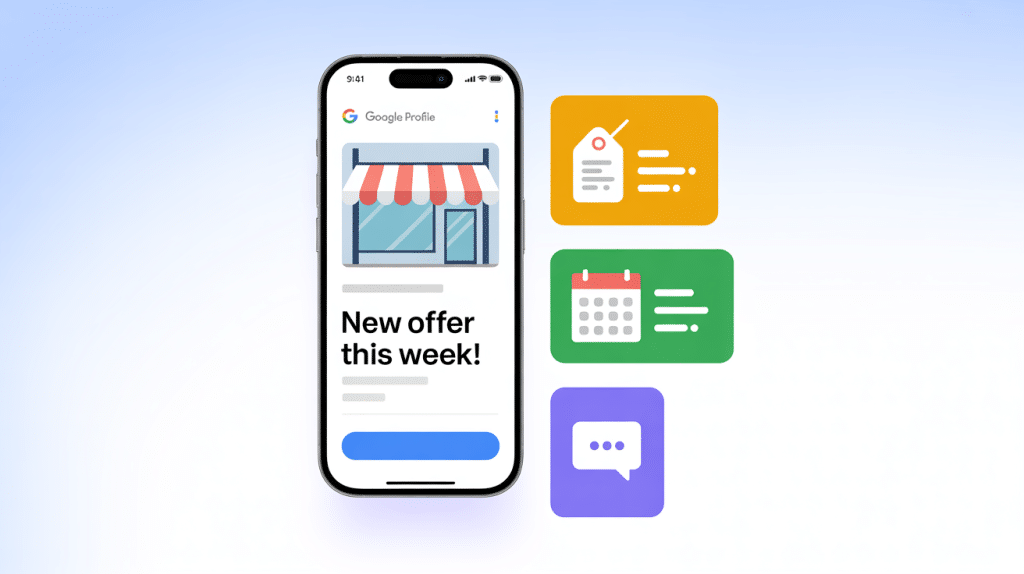
Weekly updates also help customers feel connected and confident—complete, active profiles look more reputable, draw more visits, and win more consideration.
Plan content that drives immediate action. Focus on what people can do right now, and schedule promotional posts 5–10 days before events.
Use clear CTAs and relevant keywords for measurable results. Keep it sustainable—quality over quantity—so you can show up every week without burnout.
While your weekly cadence keeps the profile fresh, templated Offer and Event posts turn that momentum into measurable action. Use event posts with keyword-rich titles, dates, times, and a specific CTA—prefer “Book” and link straight to tickets. Add pricing and an end date to boost conversions and keep relevance in search. For offers, state discount type, conditions, start/end dates, and a redemption limit; CTAs like “Get offer” or “Claim discount” convert best. Verified profiles can add up to 10 images per post to showcase visuals like event highlights or offer graphics, which helps maximize engagement and trust by leveraging Google Business Profile media limits.
| Template | Required Fields | Best CTA |
|---|---|---|
| Event | Date, time, title, details, price, end date | Book |
| Offer | Discount type, conditions, start/end, limit | Get offer |
| Visual | 1200x900 image, branding, alt text | View more |
| Local | Phone, hours, address | Call now |
Those templated posts only pay off if your analytics can see them. Add UTM parameters to every Google Business Profile post link before you publish. Use utm_source=google, utm_medium=social, and a clear utm_campaign like gbp_offer_summer2023. Google Ads offers ValueTrack parameters for automatic UTM addition, which helps ensure consistency and granular reporting across campaigns.
Include utm_content for post type (offer, event, update). utm_term is optional for keyword tests. This prevents traffic from showing as direct or referral and keeps your community’s impact visible.
Audit monthly, document standards, and A/B test formats to refine what resonates.
In this change from manual Q&A to AI-driven responses, you guide prospects by shaping what the AI learns and says about your business. With Google phasing out the traditional Q&A (API discontinued Nov 3, 2025), Gemini now answers in Search and Maps using your Business Profile, website, and structured data. Your job: teach it well. Also note that Google’s Q&A API will be discontinued on November 3, 2025, and the feature will gradually disappear from listings. This shift makes it crucial to maintain a well-managed reputation, since AI-weighted answers increasingly reflect your public reviews and engagement signals.
Do this:
During the change, if your listing still shows Q&A, curate top questions and answers for consistency. Track Q&A engagement as a popularity signal—higher interactions can lift local visibility.

Because Google reviews now drive discovery, rankings, and conversion, treat them as a core growth channel—something you earn, respond to, and measure systematically. Effective review acquisition is built on consistent workflows and clear expectations, not one-off requests. The STARS Method—Scan, Text, Ask, Respond, Share—remains a reliable framework for improving review velocity, and tools like Reviewly.ai help operationalize these steps through centralized monitoring and SMS-based outreach.
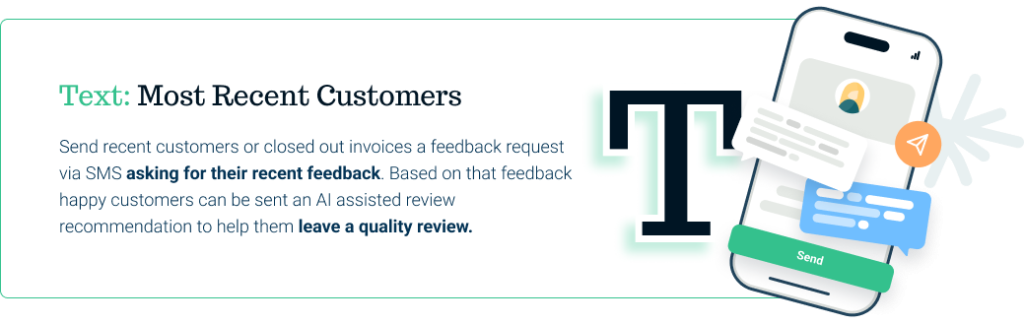
At the acquisition stage, timing matters. While many businesses rely heavily on post-visit emails, SMS remains the fastest-responding channel—which is why Reviewly.ai focuses on SMS review requests only. Sending a short, personalized SMS with a direct Google review link shortly after service helps customers respond while the experience is fresh. For in-person environments, neutral QR code cards or counter displays (“Share feedback”) can boost organic review volume by as much as 19%. Whatever method you use, avoid gating or incentives—Google’s 2026 policies automatically filter out rewarded reviews and can place profiles at risk.

To protect and grow reputation, prioritize consistent response protocols. Reply to every review—especially negatives—within 24 hours, as fast responses can lift retention by 33% and reduce negative sentiment spread. Aim for replies that are 150+ characters, use natural language, and reference location-specific details or keywords, which can improve visibility in the local pack by up to 17%. Reviewly.ai’s AI-assisted response tools help teams draft replies quickly while maintaining tone, accuracy, and personalization across locations.

Finally, reputation growth depends on measurement. Track review velocity, sentiment shifts, average rating trends, and response rates across all locations. Reviewly.ai’s dashboard centralizes these metrics, making it easier to understand how reviews influence visibility and customer behavior over time. CRM-triggered outreach and automated monitoring can streamline as much as 80% of the review workflow, giving teams more time to focus on service quality and resolution.

Core components of a scalable review system include:
Together, these practices build a predictable inflow of authentic reviews, strengthen Google Business Profile performance, and create long-term reputation resilience.
Although your GBP can win attention on its own, you’ll reveal far more visibility when your website and profile reinforce each other. Local search rankings prioritize geographically close businesses with optimized profiles, so integrating your website SEO with GBP boosts relevance and visibility together.
Start by matching NAP across both. Consistency in name, address, phone, hours, and contact details builds trust, looks professional, and prevents local ranking losses. Positive reviews on your GBP enhance credibility and can improve conversions, so encourage customers to leave Google reviews to strengthen overall trust signals.
Next, align keyword strategy. Use the same location-specific phrases in your site’s titles and content that you place in GBP categories, descriptions, and services to strengthen relevance and 3‑pack potential.
Finally, treat your website’s SEO health as fuel for local results—content quality, UX, and rankings lift GBP performance.
You’ll strengthen your Google Business Profile by implementing the essential schema types: LocalBusiness or Organization, plus Product, Review, and AggregateRating where relevant. Review marketing is a core pillar of digital strategy, so use schema and on-site placements to highlight high-impact testimonials and star ratings that support brand credibility.
Make sure your LocalBusiness schema mirrors your profile details exactly, then enrich it with ratings and SameAs links to unify your entity. Adding structured data can increase CTR, since rich results make your listing more attractive and informative in search.
Finally, embed review widgets that output valid Review and AggregateRating markup to display star ratings and showcase trustworthy testimonials.
Blueprints matter: implementing the right schema types and review widgets gives your Google Business Profile stronger, clearer signals.
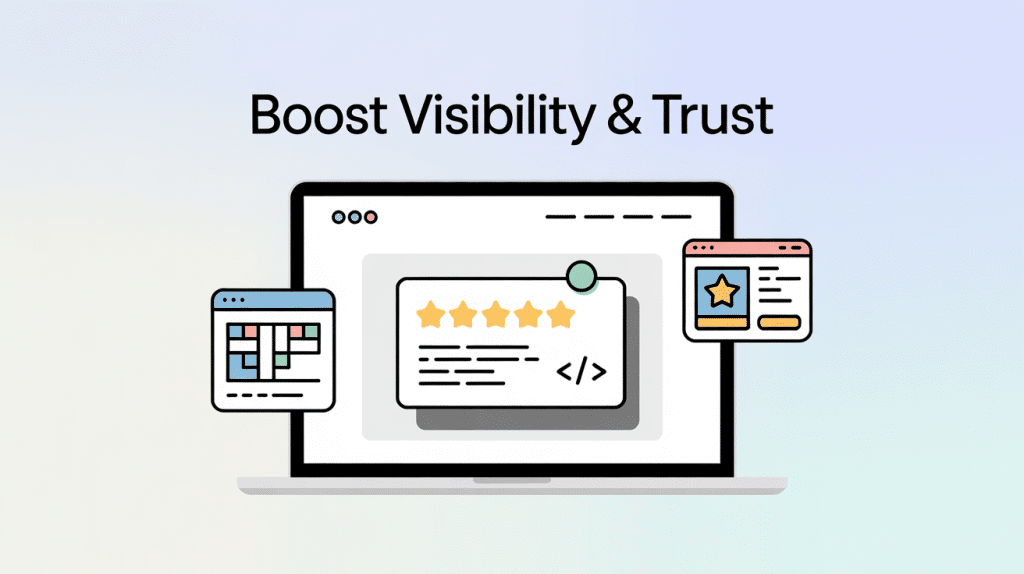
Start with LocalBusiness as your foundation: include precise NAP, openingHours in hh:mm:ss, geo coordinates, priceRange, and a category that mirrors your primary GBP category. Schema markup improves context recognition for business hours, contact info, and product prices, which increases visibility through rich snippets.
Layer Organization for brand elements like logo and social profiles to reinforce your knowledge panel.
Use Article for news and blog posts, Product for merchandise with price and availability, and Person for key contacts.
Stick to JSON-LD in the head or body, validate with Google’s testing tools, and keep details consistent across your site, schema, and GBP to lift rankings and click-throughs.
When you embed review widgets on your site, you surface real customer proof where it matters and reinforce your Google Business Profile signals.
You’ve got three paths: build a custom Google Places API integration, use a WordPress plugin, or lean on third‑party services.
Start by collecting your Place ID with Google’s Place ID Finder. For API builds, create a Google Cloud Project, enable Places API, generate credentials, and lock keys to your domains.
Most third‑party tools use OAuth; connect, customize, then paste the JavaScript embed into your HTML or CMS.
Match your brand with colors, fonts, and layouts (grid or list). Add carousels, expandable text, sorting, and CTAs. These widgets can build trust by displaying authentic, automatically updated reviews that act as social proof and keep visitors engaged on your site.
Load widgets asynchronously, guarantee responsive design, test across browsers, honor Google’s attribution rules, and monitor API changes.
Although competitors can feel like a moving target, start by mapping the local landscape with data you can verify. Pull SERPs for your target keywords, log the top three Map Pack results, and note who repeats across neighborhoods. Track each competitor’s distance to the search centroid, DBA keyword usage in titles, and impression share signals to see who truly dominates. Regularly conduct competitor analysis to optimize local SEO and adapt to shifting market trends. To enhance monitoring, set up Google Alerts for brand and keyword mentions so you don’t miss shifts in competitor activity or consumer sentiment.
Inspect Google Maps source code to extract primary and up to nine secondary categories, then spot category patterns tied to wins.
Benchmark completeness next. Verify hours (including holidays), phone, email, address, website, and service areas—profiles that do are 70% more likely to drive walk-ins, while 56% of local listings remain unclaimed.
Compare keyword placement in titles, descriptions, services, and attributes to uncover gaps you can own.
Before you scale what’s working in your Google Business Profile, tag every outbound link with UTM parameters so you can see exactly what traffic and conversions it drives. Without UTMs, GBP clicks blend into “organic” or “direct,” and you can’t tell what your listing actually delivers. While UTMs are optional because the HTTP referrer will still classify clicks as Organic Search, adding them lets you separate GBP traffic from other organic sources. Adding UTMs also supports better attribution for review-driven visits, which matters because 93% of consumers are influenced by online reviews in buying decisions.
Use utm_source=gbp, utm_medium=organic, and a clear utm_campaign (like gbp-listing or location-1). Add utm_content to distinguish elements such as website-link, menu-link, or app-link. Google treats UTMs as query parameters, so rankings aren’t affected.
With clean UTMs, you’ll separate GBP traffic, see which links earn clicks, capture conversions, and discover local queries in Search Console to guide optimization.
You’ve got the map and the compass—now chart your local SEO course with confidence. Build a complete profile, lock down NAP consistency, fine-tune categories and attributes, and automate updates so nothing slips through the cracks. Track clicks with UTMs, respond to reviews, and post fresh content like clockwork. When risks arise—category shifts or suspensions—you’ll handle them fast. Keep polishing your profile and website in tandem, and you’ll rise in local search like a lighthouse cutting through fog.
Jeff Schwerdt is the Founder & CEO of Reviewly.ai, a review management platform that helps businesses turn customer feedback into measurable growth. With over 10 years of experience in online reputation management, Jeff works with small and mid-sized businesses to build trust, improve local search visibility, and drive more revenue through smarter review strategies.

Looking for a WiserNotify alternative? Compare WiserNotify vs Reviewly.ai and discover which platform is better for Google review generation, local SEO, and multi-location growth in 2026.
Find out how 37 essential online review statistics for businesses in 2024 could revolutionize your reputation management strategy.
Optimize your ecommerce business by mastering review management for ecommerce strategies that drive growth and boost customer loyalty.
Learn how to get more Google reviews for your law firm. See how one injury firm built 5.0-star ratings across 18 locations — growing 12 existing offices and 6 new ones with Reviewly.ai.
Find out why Google Reviews are quietly reshaping how to rank in ChatGPT rankings, and what most businesses still haven’t realized.
How Reviewly.ai Boosted Small Business Google Reviews by 63% in Just Two Weeks! A small business, aiming to enhance their online presence, leveraged Reviewly.ai to streamline their review collection process. Within two weeks, they achieved a 63% response rate on feedback requests, resulting in 18 new reviews on their Google business profile. This case study […]