
Gain insights into how a Google Reputation Manager can boost your brand's online credibility and authority—discover the secrets to success now.

Automated Google review requests via SMS are a targeted workflow that sends a short, personalized text message with a direct Google review link after a transaction or service, designed to increase 5-star ratings and local search visibility. This guide explains how SMS review automation works, why it outperforms many manual or email-driven approaches, and how businesses can implement compliant, high-conversion flows that respect customer consent and platform rules. Many businesses struggle to gather timely, authentic feedback because manual follow-up is inconsistent and email engagement is low; SMS automation addresses that by combining trigger-based workflows, concise messaging, and measurement.
Google reviews act as public social proof that directly influences consumer trust and discovery; higher ratings and more reviews cause measurable increases in click-through and conversion from local search results. Reviews feed into the Google Business Profile’s AggregateRating and reviewCount signals, which search algorithms use to rank businesses in the Local Pack and Maps results, making review volume and average rating SEO-relevant metrics. Customers use star averages and recent reviews to make immediate purchase or booking decisions, so a marginal increase in average rating often yields notable uplift in conversions and perceived credibility. Understanding this causal chain—more reviews → better local signals → higher visibility → more customers—frames why active review collection is a strategic priority for reputation management and local SEO.
Google reviews influence local SEO by contributing both quantitative and qualitative signals: reviewCount and aggregateRating are quantifiable, while review content affects relevance and user intent matching. When more customers leave recent, relevant reviews, search engines interpret that as fresh engagement and local relevance, which can nudge a business higher in the Local Pack.
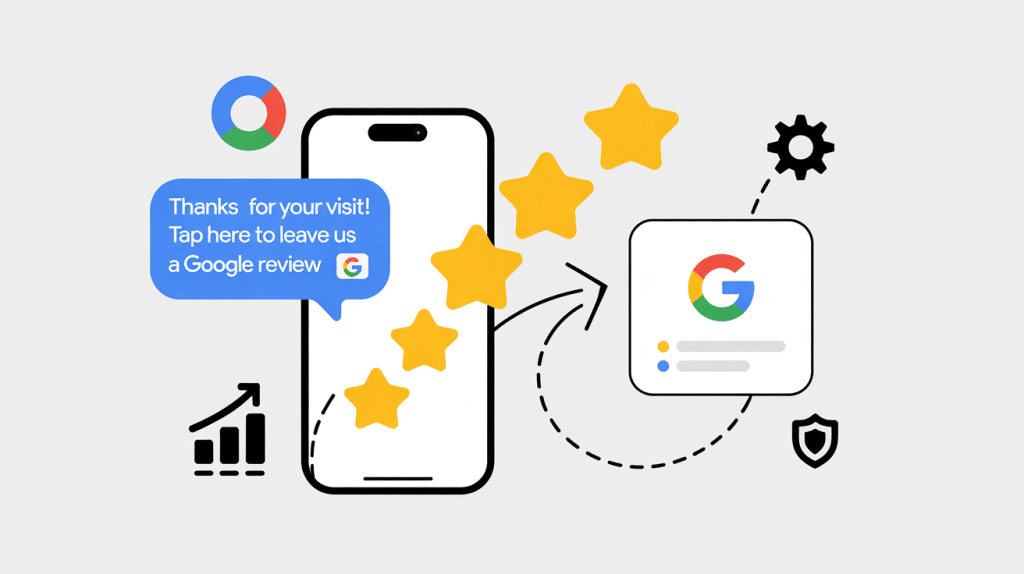
From a trust standpoint, a stream of positive reviews reduces uncertainty and shortens the decision process for prospective customers, increasing click-through rates and on-site conversions. Together, these mechanisms explain why deliberate review acquisition—done ethically and consistently—becomes an engine for improved visibility and trust.
An elevated proportion of 5-star reviews changes perception faster than raw review count alone because consumers often scan star distributions rather than reading full review text before deciding. High average ratings act as a heuristic for quality, and a consistent pattern of 5-star feedback signals operational reliability and strong service delivery. However, distribution matters: a balance of genuine reviews that includes useful detail tends to be more persuasive than a handful of perfect but generic ratings. Focusing on consistent, authentic 5-star experiences—captured soon after service via SMS—helps create a sustainable reputation that both search algorithms and customers reward.
Automated Google review request via SMS is a triggered messaging workflow that detects a qualifying event (like a completed sale or appointment), composes a short personalized SMS with a direct Google review link, and sends follow-ups if needed to maximize conversion. The mechanism relies on integration points—CRM, POS, or booking systems—that emit triggers, a messaging engine that personalizes and schedules texts, and analytics that track opens, clicks, and completed reviews. The specific benefit is friction reduction: customers receive a single-tap path to the review form at a moment when their experience is fresh, which increases the likelihood of a 5-star response. This approach also supports segmentation and A/B testing so businesses can iterate message content, timing, and cadence for better results.
SMS automation replaces manual outreach with event-driven flows that scale across customers and locations, saving staff time while ensuring consistent follow-up. By connecting triggers from a CRM or POS to an SMS platform, businesses can send messages immediately after service completion—when satisfaction is highest—thereby increasing response rates.
The mobile-first nature of SMS means higher open and click-through rates compared to email, and personalization tokens (customer name, service type) increase perceived relevance. Automating these steps reduces missed opportunities and produces reliable data for optimization, which in turn improves both short-term review yields and long-term reputation trends.

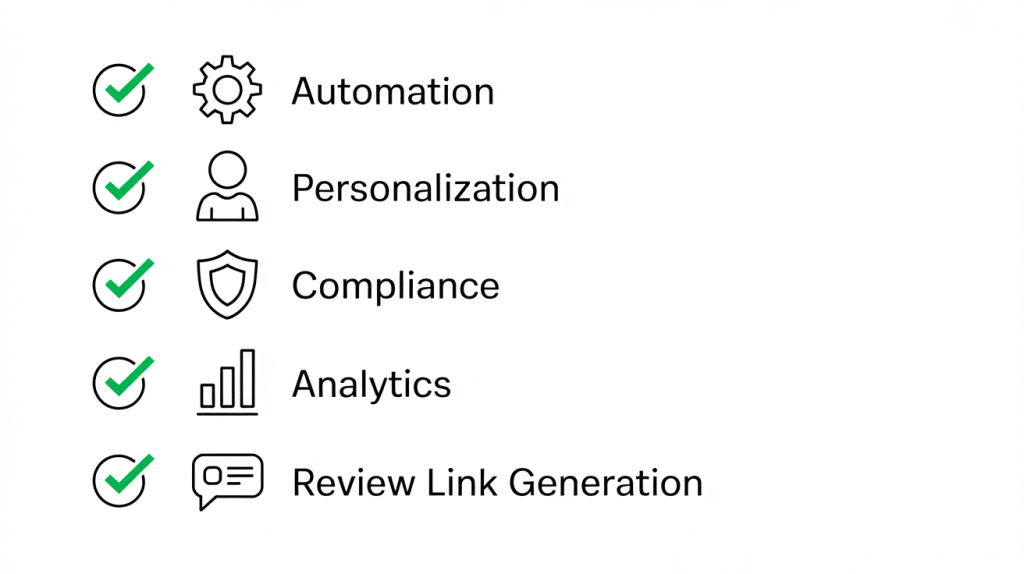
Effective SMS review platforms combine several capabilities: automated trigger support, direct Google review link generation, personalization templates, delivery scheduling, analytics, and compliance tools for consent and opt-outs. Integration with CRM and booking systems lets platforms pull contextual tokens to personalize messages and tie outcomes back to transactions or employees, enabling performance attribution.
Analytics dashboards should report open rates, click rates, and completed-review counts so teams can iterate on messaging and timing. Compliance features—such as consent recording, opt-out handling, and message logging—help reduce regulatory risk while maintaining a respectful customer review experience. Together, these features create an end-to-end system for predictable review acquisition.
SMS delivers measurable advantages over many traditional methods for review solicitation because of immediacy, higher engagement metrics, and a streamlined user experience that reduces friction at the point of asking. The combination of trigger-based timing and concise, direct CTAs typically results in higher open rates and faster review capture than email or paper-based follow-up. Automation also standardizes outreach so businesses avoid uneven manual practices that can miss satisfied customers, while analytics enable continuous improvement to the messaging and cadence. These benefits underpin improved online reputation, more reviews, and stronger local SEO signals without adding significant operational burden.
Before the table below is a mapping of common SMS benefits to representative metrics to help quantify expected impact.
SMS benefits arise from immediacy and attention: recipients frequently read texts within minutes, whereas email can sit unread for days or be filtered into promotions folders. This behavior yields much higher open rates for SMS and consequently higher click-throughs on review links placed directly in the message body. When messages are sent within a short window after service completion, customers are more likely to recall details and leave positive reviews, increasing both the quantity and quality of reviews. The result is an improved velocity of review acquisition and a higher conversion ratio from message to completed review compared to email.
Automation reduces manual follow-up tasks—no more staff-driven phone calls or inconsistent email scheduling—freeing time for higher-value work like responding to negative feedback and improving operations. Customers receive a predictable, concise ask that respects their time and includes a one-click path to the review form, which improves the overall post-service experience. Personalization and proper timing increase relevance and reduce annoyance, while built-in opt-out handling preserves goodwill. Operationally, automation produces reliable data that informs service improvements and response strategies, reinforcing a virtuous cycle of experience optimization.
Setting up an automated SMS workflow for Google reviews helps businesses collect feedback at scale while maintaining personalization and compliance. The process involves defining triggers, creating message templates with direct Google review links, establishing timing rules, and monitoring performance over time.
A well-designed system ensures that review requests are sent only to recent, verified customers at the right moment—typically right after a completed service or purchase—when satisfaction is highest and recall is strongest. Tools like Reviewly.ai simplify this process by connecting with your CRM or POS system, detecting qualifying events, and automatically sending review invitations via SMS.

To set up an effective automated workflow:
| Step | Required Input | Expected Outcome |
|---|---|---|
| Choose Trigger | CRM/POS event (e.g., completed sale, appointment) | Automated detection of qualifying customers via Reviewly.ai |
| Create Template | Personalization tokens + direct Google review link | Concise SMS message with clear call-to-action generated in Reviewly.ai |
| Configure Timing & Cadence | Scheduling rules (immediate / 24hr / 48hr) | Higher response rates by sending when experience is fresh |
| Test & Monitor | Test group + analytics | Optimized copy and timing through Reviewly.ai performance reporting |
Timing should align with the peak of customer satisfaction—often immediately after service completion or within 24 hours—so the experience is fresh and recall is high. Personalization should be concise: include the customer’s first name, the specific service or product, and a short, friendly CTA that directs to the Google review form. Limit follow-ups to one or two polite reminders spaced several days apart and always respect opt-out requests; excessive messaging harms reputation and conversion. A/B test send windows and message variations to determine the optimal combination for your customer segments and use that data to refine scheduling and copy.
High-converting SMS templates are short, specific, and actionable. They typically include:
For example:
“Hi [Name], thanks for choosing [Business Name]! We’d love your feedback—it only takes 60 seconds: [Review Link].”
Messages that set expectations (“It takes less than a minute”) can reduce perceived effort and increase completion rates. Reviewly.ai provides customizable templates that support dynamic tokens for personalization and lets you test different variations to track which phrasing performs best.
When choosing software to automate Google review requests, prioritize integration, compliance, and usability. The best tools connect seamlessly with your existing CRM or booking system, automate consent management, and provide analytics that measure review velocity and conversion rates.
Reviewly.ai is designed around these principles. It supports direct Google review link integration, two-way SMS messaging, and centralized reporting for all review requests. The platform’s dashboard makes it easy to track which messages were sent, opened, or converted into reviews, giving teams real-time visibility into performance.
Before selecting any software, evaluate:
Platforms like Reviewly.ai bring these components together, helping businesses automate ethically, communicate effectively, and generate authentic customer feedback at scale—all while maintaining full visibility over results.
Must-have features include automatic direct Google review link generation, trigger automation tied to CRM/POS/booking systems, personalization tokens, scheduling, analytics dashboards, and consent/opt-out handling. Nice-to-have capabilities include two-way messaging for quick resolutions, A/B testing, white-labeling for multi-location brands, and advanced reporting that ties reviews to revenue or retention metrics. Evaluate how each platform logs consent and stores records, since compliance is a gating factor for scaling SMS programs. Prioritize platforms that allow easy trialing and clear exports so you can validate outcomes during a pilot.
Pricing depends on message volume, contact list size, and feature tiers; common variables include per-message fees, monthly subscriptions, and additional costs for add-ons. Capability trade-offs often occur between lower-cost per-message providers (which may lack deep integration) and higher-priced platforms that include onboarding, compliance tooling, and analytics.
When comparing vendors, ask for sample reporting on open/click/converted-review rates from a similar business profile and verify trial conditions to avoid surprises. Choose a platform that balances total cost of ownership with the operational features you need to run a consistent program.
Adopt a few practical rules: capture explicit consent at point of sale or during account creation with clear language, include a one-tap opt-out keyword in every message and process opt-outs immediately, avoid incentivizing only positive reviews or gating feedback, and limit message frequency to preserve goodwill.
Keep concise records of consent, message copies, and opt-out events for auditability. Content should be neutral and focused on experience rather than steering feedback, and escalation paths for negative responses should be in place to resolve issues offline where appropriate. These practices protect customers and maintain a credible reputation online.
Businesses that adopt consistent, trigger-based SMS review programs typically see increases in both review volume and average rating within weeks, especially when messages are personalized and sent promptly after service. Success patterns include defining clear triggers, testing concise templates, training staff to resolve issues before review solicitation, and using analytics to iterate on timing and copy. Representative outcomes often show faster review acquisition cycles, improved star averages, and stronger local SEO performance when programs are sustained. The combination of automated reach and human follow-up for negative feedback creates a scalable reputation strategy.
Long-term growth comes from a lifecycle approach: consistently acquire reviews via automated SMS, actively respond to reviews to show engagement, analyze review content to identify operational improvements, and iterate messaging and timing based on analytics. Over time, accumulating genuine, recent reviews improves local SEO signals and credibility, while response management and resolution preserve customer relationships. Quarterly optimization cycles—testing templates, refreshing triggers, and retraining staff on escalation—ensure the program evolves as customer expectations and platform policies change. This compounding approach turns a short-term uplift into a sustainable reputation advantage.
For businesses evaluating solutions, remember the general market offering: an automated Google review request via SMS platform provides efficiency, higher review volume, improved reputation, enhanced local SEO, streamlined customer experience, and compliance guidance. Integrate these capabilities with your CRM or booking systems to automate the workflow, and use analytics to ensure the program meets your performance goals.
Implementing automated Google review requests via SMS can significantly enhance your business's online reputation and local SEO performance. By streamlining the review collection process, businesses can achieve higher engagement rates and more authentic feedback from satisfied customers. Take the next step towards boosting your 5-star ratings by exploring our range of SMS review automation solutions. Start transforming your customer feedback strategy today and watch your reviews soar.
Jeff Schwerdt is the Founder & CEO of Reviewly.ai, a review management platform that helps businesses turn customer feedback into measurable growth. With over 10 years of experience in online reputation management, Jeff works with small and mid-sized businesses to build trust, improve local search visibility, and drive more revenue through smarter review strategies.

Gain insights into how a Google Reputation Manager can boost your brand's online credibility and authority—discover the secrets to success now.
Are you struggling with stagnant growth in your digital marketing agency; Discover five potential culprits and how to kickstart your growth again.
Harness the power of top online tools to monitor your brand mentions and sail confidently in the digital sea; discover how in our comprehensive guide.
Three tried-and-true strategies to rapidly escalate your search rankings; unveiling the secrets to increased web traffic and business revenue.
New to Google reviews? This guide breaks down how they work, why they matter, and how to use them to grow your business.
Quick Recap On What Are Google Reviews Google Reviews, comprised of consumer ratings and comments on Google, play a pivotal role for businesses. They influence a company's online standing and how visible they are in search results. Good reviews often elevate a brand's trustworthiness, draw in new clientele, and enhance their position in search engine […]