
Learn about Google Business Profile Optimization 2026 with this complete checklist. Learn how to boost Local SEO, improve rankings, and master reviews.

Customer reviews are crucial for the success of any business. Reviews not only build trust but also enhance online visibility. A direct Google review link simplifies the process for customers, encouraging them to leave their feedback. This guide will teach you how to generate a Google review link for any business, ensuring you maximize your reviews!

A Google review link is a URL that directs customers to a specific business’s Google review page. This makes it easy for customers to leave a review, as they don't have to search for the business manually.
Google reviews play a vital role in local SEO, customer trust, and business reputation. They impact search engine rankings and influence potential customers' decisions. Businesses with numerous positive reviews are likely to attract more customers. To learn more on this topic, visit our blog on why Google Reviews matter!
The first step in creating a Google review link is to find the Google Place ID for the business.

Now that you have the Place ID, you can create the Google review link.
PLACE-ID-HERE with the Place ID you copied earlier.You now have a functional Google review link! Share this link with your customers through various channels such as email, SMS, social media, or on your website!
If you aren't able to find the business you are looking for in Google Place ID Finder, no worries! Here is another way you can create a Google Review link for any business!
You are first gonna want to head to the Google page of the business you are looking to create a URL too.
The next step will be to right click on the area where it says "Google Reviews" then click Inspect. If the Google page has no reviews you will want to right click on where it says "Be the first to Review".

By pressing Cmd+F for Mac or Ctrl+F for Windows, you will be able to search for data-pid and find the correct code we are looking for.

Once we have the correct code, all you have to do now is replace the code with the section labeled PLACE-ID-HERE in the following URL: https://search.google.com/local/writereview?placeid=PLACE-ID-HERE
Just like that you created a review link for the business!
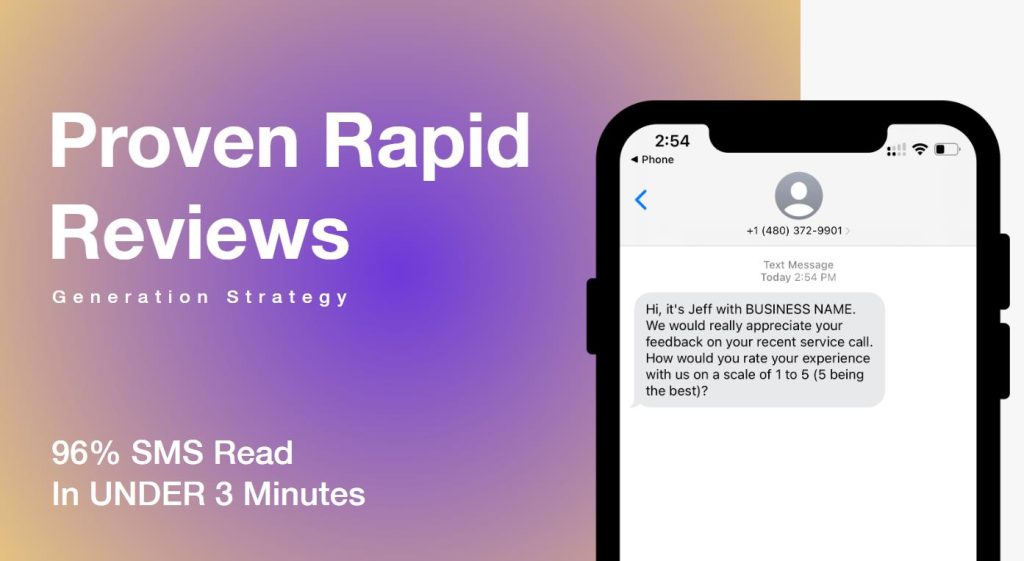
Including the review link in SMS campaigns is by far the best way for instant engagement! SMS messages have high open rates, making them an effective tool for garnering reviews.
Send follow-up emails to customers after a purchase or service, including the review link. Personalize the message to increase the chances of receiving a review.
Using Review Devices has proven to be a very efficient and quick way to generate reviews without asking much from the customer. Visit our store today to learn more about Review Devices!
Consistent and positive reviews improve local SEO, helping your business appear higher in local search results. This increased visibility can drive more traffic and potential customers to your business.
Reviews serve as social proof, building trust and credibility with potential customers. Businesses with numerous positive reviews are perceived as more reliable and trustworthy.
Engage with your customers by responding to their reviews. Thank them for positive feedback and address any concerns raised in negative reviews. This shows that you value customer feedback and are committed to improving your services.

If you’re not receiving many reviews, try making the process even easier for customers. Ensure the review link is easily accessible and consider offering incentives for leaving a review.
Negative reviews are inevitable. Address them professionally and promptly. Show empathy and offer solutions to resolve the issues raised. Learn more on how to handle negative reviews here!
Regularly remind your customers to leave reviews. Consistency in receiving reviews keeps your business profile active and relevant.
Generating a Google review link for your business is a straightforward process that can significantly impact your online reputation. By making it easy for customers to leave reviews, you can enhance your business’s visibility, credibility, and customer trust. Start leveraging the power of Google reviews today and watch your business grow!
Jeff Schwerdt is the Founder & CEO of Reviewly.ai, a review management platform that helps businesses turn customer feedback into measurable growth. With over 10 years of experience in online reputation management, Jeff works with small and mid-sized businesses to build trust, improve local search visibility, and drive more revenue through smarter review strategies.

Learn about Google Business Profile Optimization 2026 with this complete checklist. Learn how to boost Local SEO, improve rankings, and master reviews.
Journey with us as we reveal how white label services can revolutionize and scale your digital marketing agency.
Powerful white label reputation management platform transform agencies' client offerings, but which one actually delivers on its promises?
Building and growing a white label agency presents exciting opportunities for scalability, profit maximization, and long-term success in the digital marketing industry. Whether you're new to the game or a seasoned professional, adopting the right strategies and best practices is essential for establishing a sustainable and thriving agency. This comprehensive guide compiles and references a […]
Facing FTC's new rules on consumer reviews and AI-generated content? Discover how they impact your business and strategies for compliance.
Harness these 3 effective strategies to propel your digital marketing agency's growth and discover the secrets behind sustainable success.