
White-label Tool solutions revolutionize agency growth by slashing costs while expanding services, but most owners overlook the hidden advantage that transforms clients into advocates.
Your Google reputation often determines whether customers choose your business or a competitor before they ever visit your website.
For most local businesses today, Google reviews and your Google Business Profile act as your real storefront. Customers search, read reviews, compare ratings, and decide who they trust within seconds.
That’s why Google reputation management has become one of the most important parts of local marketing.
If your reviews are recent, positive, and well managed, customers are more likely to call, visit, or book your services. If your reputation looks outdated, inconsistent, or poorly managed, potential customers often move on to the next business.
The good news is that Google reputation management doesn’t require complicated marketing tactics. With the right system, local businesses can consistently generate reviews, respond to feedback, and maintain a strong presence in Google Search and Google Maps.
This guide explains exactly how Google reputation management works and how local businesses can build a system that improves trust, visibility, and long-term customer growth.
At its core, Google reputation management is the process of shaping how your business appears and is perceived across Google Search, Google Maps, and your Google Business Profile. It helps you create a trustworthy presence so local customers feel confident choosing you and joining your community.
You do that by monitoring reviews, tracking rating trends, and responding promptly with professionalism and care. Because review quantity and recency influence trust, maintaining a steady flow of fresh reviews can make your business appear more credible and relevant. You also manage Q&A, Knowledge Panel details, business hours, services, categories, photos, and attributes so people always see accurate information.
Strong Google reputation management includes publishing fresh posts, images, and FAQs that reflect who you're and what you offer.
It also involves technical work behind the scenes, like maintaining consistent name, address, and phone information and using schema markup to guide what Google displays.
When negative search results appear, you can promote stronger, positive content to push a more balanced story forward. Done well, it keeps your business visible, credible, and welcoming.
Because Google wants to rank businesses people trust, reviews play a meaningful role in local SEO. They influence prominence, and industry studies estimate review signals drive roughly 15–20% of local pack rankings. When your business earns more reviews, especially enough to clear early trust thresholds, you’re more likely to appear in the top map results.
Strong ratings also lift click-through rates, so more nearby customers choose you. Google also reads what people say. Reviews that mention your services, products, or neighborhood help Google connect you with specific local searches. Ratings between 4.0 and 4.5 often earn the most clicks because they signal trusted quality without seeming too perfect.
Detailed, recent feedback carries more value than short, aging comments, and a steady flow of new reviews signals real customer activity. That ongoing momentum supports ranking stability over time. Authentic reviews from diverse customers strengthen trust, while fake or incentivized patterns can hurt visibility.
When you respond thoughtfully, you show your community you’re present, reliable, and worthy of belonging in their shortlist every day.
Reviews increase visibility, but your Google Business Profile turns that visibility into leads and customers.
Start by claiming and verifying your business profile through Google. Verification allows you to manage your listing, respond to reviews, and update important business information.
Once verified, complete every available field.

Your business name should match exactly how it appears on signage and official documents. Avoid adding keywords to your name, since Google may suspend profiles that attempt to manipulate listings.
Choose one precise primary category that best describes your business. Then add secondary categories that support additional services you offer.
Set accurate hours, including holiday hours when necessary. Enabling messaging or booking features can also make it easier for customers to contact you directly.
Your business description should explain what you do, where you serve customers, and why people choose your business.
Services and products should also be listed individually with short descriptions. Matching these services with pages on your website helps reinforce relevance signals.
Finally, keep your profile visually active. Upload authentic photos and videos of your team, workspace, and completed projects. Businesses with updated photos often receive more engagement from customers browsing local results.
Even a well-optimized profile can lose visibility if your business information is inconsistent across the web.
NAP stands for Name, Address, and Phone Number, and consistency across directories is a key local SEO signal.
Start by creating one canonical version of your business information. This should include:
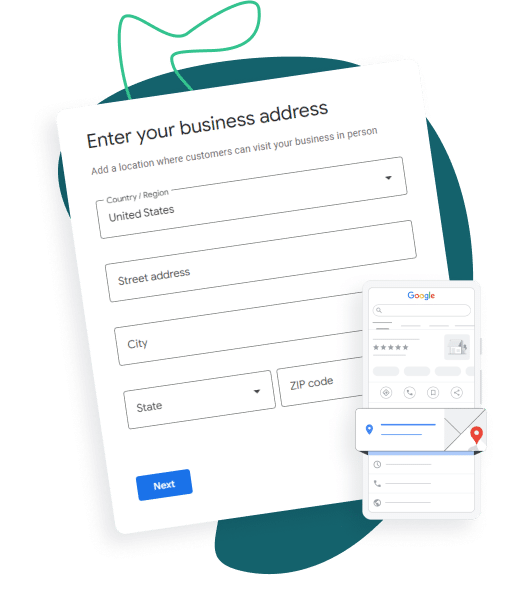
Store this information in a shared document so your team always references the same details.
Next, audit major directories such as Google, Bing, Facebook, Yelp, and Apple Maps. Look for duplicate listings, outdated information, or conflicting phone numbers.
If inconsistencies appear, correct them using the same canonical information everywhere.
Because directories often share data with each other, incorrect information can continue spreading for months if not corrected.
Maintaining consistent NAP data helps Google trust your business identity and improves your chances of appearing in local search results.
Once your NAP is consistent, your Google Business Profile categories become the next major ranking lever. Your primary category sends Google its strongest relevance signal, so choose the one that best finishes: “This business is a…”. Be specific. A precise category tied to your core revenue service usually outperforms a broad label because Google applies relevance before distance and prominence. The primary category also controls certain profile features that appear on your listing.
You can add up to nine secondary categories, but use them strategically. They should support adjacent, high-intent searches without muddying your identity. If a category doesn’t reflect what you truly offer, skip it. Google’s categories are predefined, so you can’t invent your own.
To choose well, study top local competitors and compare their primary categories to yours. Match customer language, prioritize your most frequent or profitable service, and revisit categories when your business evolves.
The right mix also activates profile features and helps Google, Maps, and AI understand where your business belongs.
Four profile elements often decide whether a searcher clicks or keeps scrolling: services, hours, attributes, and photos.
List every revenue-generating service individually, and match each service name and description to your website terms. Keep descriptions concise, natural, and specific about outcome and service area. Review services quarterly, remove outdated offerings, and keep any listed pricing consistent everywhere.
Set regular hours accurately, then add holiday, event, seasonal, appointment-only, or service-area hours early. Check Google’s suggested edits fast so wrong hours don’t spread.
Choose factual attributes that help people feel confident you’re the right fit, like accessibility, payment methods, delivery, curbside, or amenities. Complete attribute details can improve visibility because they act as local ranking signals. Update them whenever operations change, and revisit new attribute options periodically.
Then show your business as it really is. Upload clear exterior, interior, team, and in-action photos, plus short videos. Fresh, authentic visuals help people picture themselves with you—and feel ready to choose you today.
The most effective Google reputation strategies don’t rely on occasional review requests. Instead, they create a consistent system that asks customers for feedback at the right moment and makes the process simple.
Timing plays a major role in whether customers actually leave a review. The best time to ask is immediately after a positive experience—when the service is complete, the problem is solved, or the customer expresses satisfaction. When you capture that moment while the experience is still fresh, customers are much more likely to share feedback.
Businesses that wait days or weeks often see lower response rates because the experience is no longer top of mind.
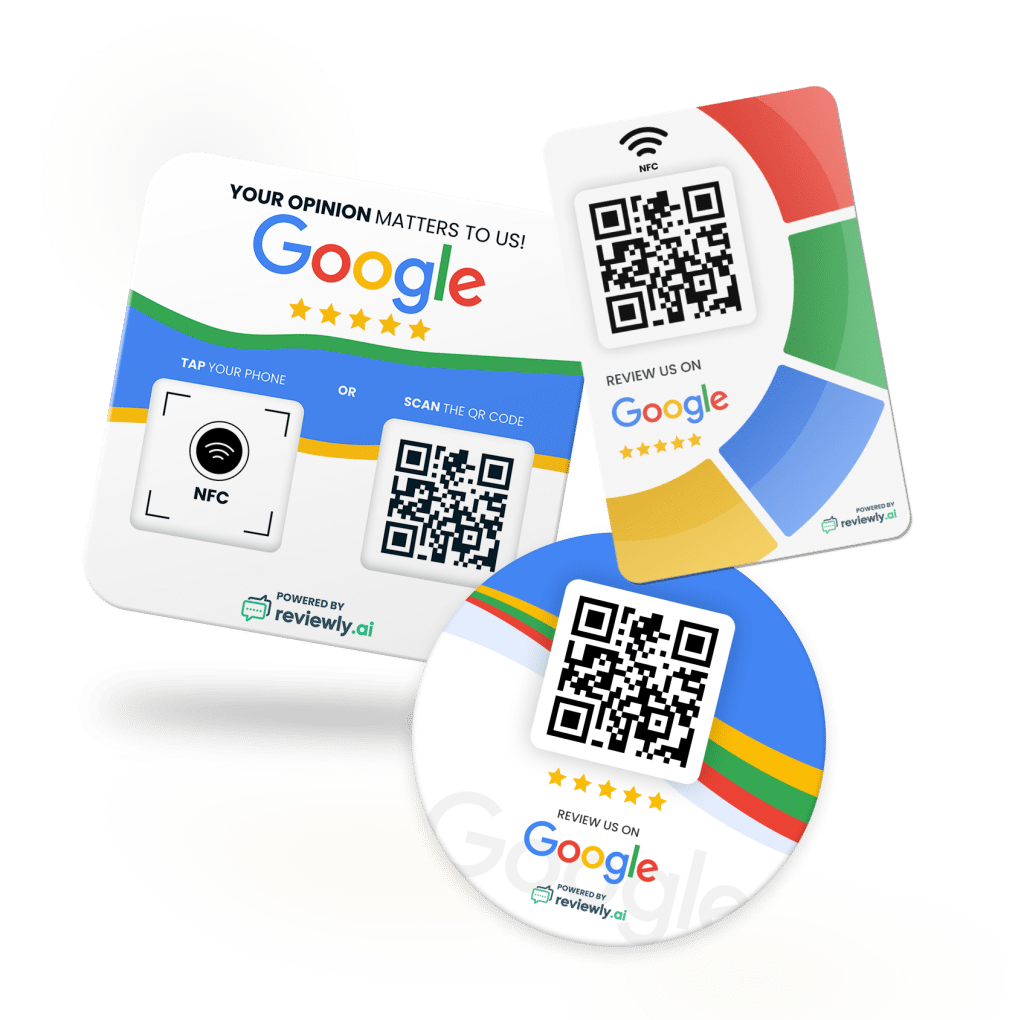
The key is reducing friction. Customers are far more likely to leave a review when the request includes a direct link that takes them straight to the Google review form. QR codes also work well for in-person interactions because customers can scan and leave a review within seconds.
Many local businesses now use automated systems to ensure these requests happen consistently. Platforms like Reviewly.ai allow businesses to automatically send Google review requests through SMS after a service is completed, an invoice is paid, or a job is marked finished.
SMS is one of the most effective channels for review requests because text messages are typically opened within minutes. Open rates often exceed 90 percent, making SMS significantly more reliable than email for reaching customers quickly.

With an automated system in place, businesses no longer have to remember to manually send review links. Instead, each completed transaction can trigger a review request automatically at the ideal time.
A well-structured SMS review request is simple and friendly. It typically includes a short thank-you message along with a single call-to-action link that directs the customer to the Google review form.
For example, a request might thank the customer for their visit and invite them to share their experience through a quick Google review.
Some businesses also combine in-person requests with automated follow-ups. Staff may ask for a review after a successful interaction, and then an automated SMS message can be sent within the next 24 hours as a reminder.
Reviewly.ai helps streamline this process by combining automated SMS review requests, direct Google review links, and tracking tools in one platform. Businesses can monitor which requests lead to completed reviews, identify the best-performing timing, and maintain a steady flow of fresh feedback without relying on manual follow-ups.
By automating review requests and asking customers at the right moment, businesses can consistently generate new Google reviews while keeping the process simple and natural for both staff and customers.
Getting the request out is only half the job; how you respond once reviews start coming in shapes trust just as much. Check your Google Business Profile daily, not weekly, and set reply goals: within 24 hours for critical concerns, within 48 hours for routine praise. When you answer quickly, neighbors see a business that listens, cares, and shows up. Respond to every review because consistent engagement helps build trust and strengthens your reputation over time.
| Review type | Best response move | Timing |
|---|---|---|
| Positive | Thank them, mention specifics, invite return | Within 48 hours |
| Critical | Stay calm, apologize, offer next step offline | Within 24 hours |
Keep replies personal. Use the reviewer’s name, reference details like a service, date, or team member, and write like a real person, not a template. Add natural local context when it helps clarity, such as your neighborhood or business name, without sounding promotional. If a review breaks Google’s rules, document it, flag it, and track the escalation. Measure response rate and speed consistently.
When a negative review lands, speed matters because one unresolved complaint can influence dozens of nearby customers before you notice it. Set real-time alerts through a reputation tool like Reviewly.ai, and track sentiment weekly so you catch issues early. Active review management also signals relevance and reliability to search engines, which can strengthen local visibility over time.
Use keyword flags like “late,” “rude,” or “broken,” centralize locations in one dashboard, and trigger manager escalation within hours for reviews under three stars.
Then triage fast. Sort complaints by type, including service failures, safety concerns, billing problems, staff conduct, or misinformation.
Prioritize anything involving safety, legal risk, or loyal high-value customers. Score urgency by recency, star rating, and visibility, then route serious cases to a recovery team with clear deadlines.
Reach out privately by phone or email, offer a refund, redo, discount, or manager follow-up, and document every step.
Once you resolve the problem, invite the customer to update their review and use what you learn to strengthen your team.
Even if a review looks convincing at first glance, you can often spot a fake by watching for patterns instead of isolated complaints. Watch for new-account spikes, repeated wording, blank reviewer histories, stock photos, tight posting windows, or complaints about services you don't offer. Generic language is another common warning sign, especially when a review lacks specific details about staff, products, or the actual experience. When your team sees a cluster, alert staff fast so everyone documents evidence and responds consistently.
| Signal | What you do |
|---|---|
| New accounts | Compare creation timing and review burst |
| Repeated phrasing | Screenshot similar language across reviews |
| Mismatched details | Match claims against appointments and services |
| Threats or doxxing | Prepare legal-removal documentation |
Reply within 24–48 hours with a calm, non-defensive note: say you can't find a matching record and invite offline contact. Then report each review through Google Business Profile using the exact violation category. Package proof like transaction IDs, logs, footage timestamps, and screenshots. If Google doesn't act, escalate through support, track case IDs, and follow up every 7–14 days consistently.
Three metrics tell you whether your reputation work is actually driving growth: rating quality, review velocity, and lead volume.
Watch your average star rating weekly and monthly, and check how reviews spread across 1–5 stars. If more 1–2 star reviews appear, you’ve got a shared service issue to fix. Compare your rating with top local competitors, and tie changes to clicks, calls, and bookings so your team sees the impact.
Next, measure review speed. Track how many reviews arrive each day, week, and month, and use moving averages to spot real trends. Sudden spikes can look suspicious, while dry spells mean missed chances to hear from happy customers. Recent reviews from the last 30–90 days often carry more ranking weight than older feedback.
Monitor how quickly reviews come in after service and which request channels perform best.
Finally, connect reputation to leads. Use UTM tags and call tracking to map Google profile visits to forms, calls, bookings, and customer value over time.
To make reputation work repeatable, build a simple system that captures every Google review, routes it to the right person, and turns feedback into action.
Use one dashboard to pull reviews from every location in real time so your team sees the full story together. Consistent listings across directories strengthen your local visibility.
Then set clear response rules your team can rally around: answer negative reviews within 24 hours and positive ones within 48. Use templates with personalization fields, or leverage software's that generate AI-Draft suggestions which significantly help with replying to reviews.
Finally, protect trust with abuse alerts, audit trails, and quarterly reviews of KPIs, competitor benchmarks, and operational fixes that help every location improve together consistently.
Google reputation management might seem like “just reviews,” which is exactly why many local businesses overlook it until customers start choosing competitors instead.
When you actively manage your Google reputation—optimizing your profile, generating reviews consistently, responding quickly to feedback, and maintaining accurate business information—you strengthen both trust and local search visibility.
Done well, Google reputation management becomes a long-term growth system that keeps your business visible, credible, and competitive in your local market.
Jeff Schwerdt is the Founder & CEO of Reviewly.ai, a review management platform that helps businesses turn customer feedback into measurable growth. With over 10 years of experience in online reputation management, Jeff works with small and mid-sized businesses to build trust, improve local search visibility, and drive more revenue through smarter review strategies.

White-label Tool solutions revolutionize agency growth by slashing costs while expanding services, but most owners overlook the hidden advantage that transforms clients into advocates.
Powerful white label reputation management platform transform agencies' client offerings, but which one actually delivers on its promises?
Discover the top 7 online reputation management tools to monitor and enhance your brand's presence effectively.
Boost your Google ratings effortlessly with automated Google review requests. Increase customer feedback and enhance your online presence to drive more business today!
Looking for a WiserNotify alternative? Compare WiserNotify vs Reviewly.ai and discover which platform is better for Google review generation, local SEO, and multi-location growth in 2026.
Perfect your online reputation with Reviewly.Ai's seamless AI-driven review generation; discover how to generate AI reviews and engage customers to boost business visibility.