
Gain insights into the intriguing world of AI-generated reviews and learn more about what is a AI review.
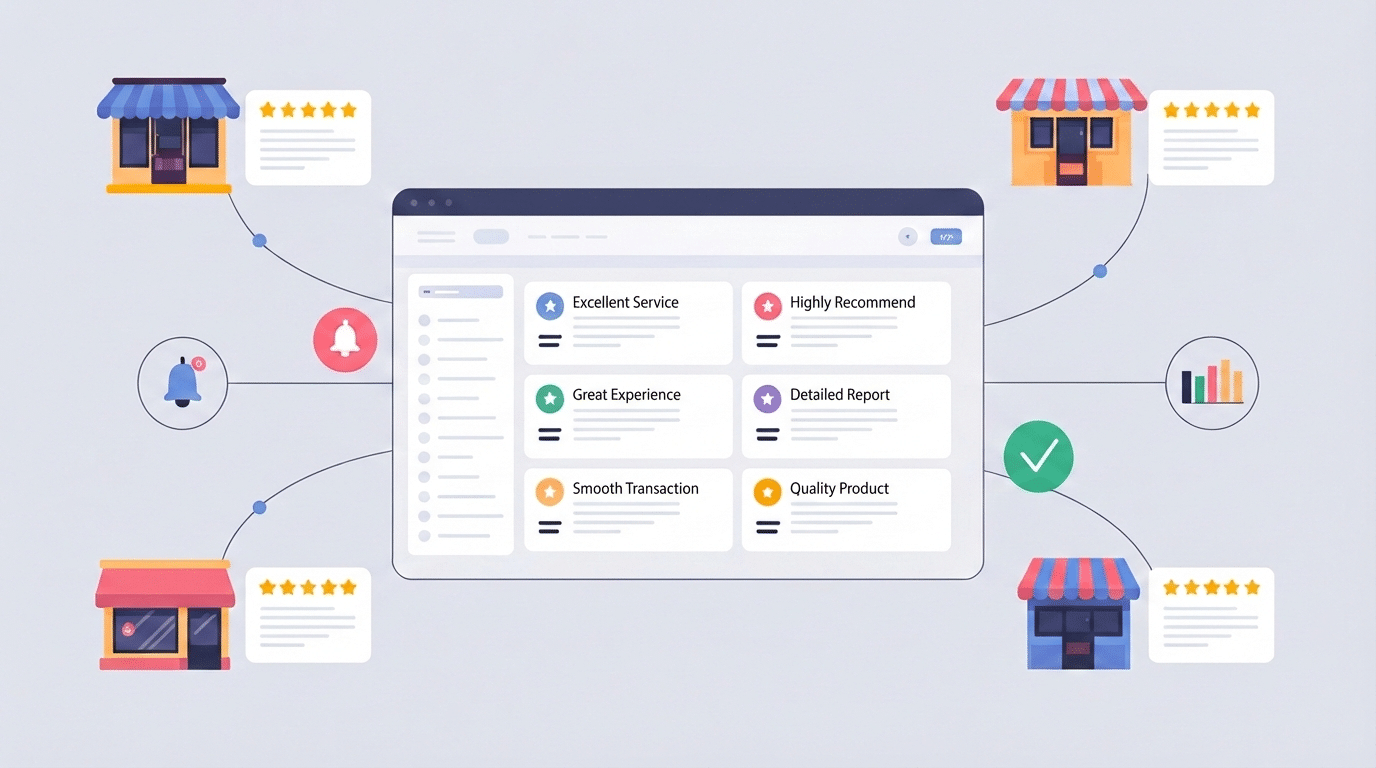
When you manage multiple locations, Google reviews stop being “a marketing task” and start becoming an operational system.
Customers read reviews to decide where to spend money — but they also read your responses to judge how you treat people when things go wrong. The challenge is that multi-location brands can’t rely on one person’s inbox or inconsistent store-by-store behavior. If each location responds differently (or not at all), your brand voice fragments and your reputation becomes uneven across the map.
The good news is that multi location review management doesn’t have to be complicated. If you build a simple workflow with clear ownership, response SLAs, escalation rules, and centralized visibility, you can keep every location consistent without sounding robotic.
This guide shows you the exact system to put in place.
Before you scale responses across dozens of locations, define who owns what. Multi-location review management breaks down when “everyone” is responsible — because that often means nobody is responsible.
Start by assigning one primary review owner per location (usually the store manager or a regional lead). This person is accountable for daily review hygiene: monitoring, first response, and escalating issues when needed.
Then define a corporate layer. Corporate (or HQ marketing/ops) should own:
To avoid gaps, create a simple backup roster for vacations, weekends, and review spikes. If you have enough locations, designate an “after-hours” pool for urgent issues.
Multi-location brands typically face one decision early:
Do you build on the Google Business Profile API, or use a tool built for multi-location review workflows?

This route is powerful, but it’s not “set and forget.” The tradeoff is operational complexity and ongoing maintenance, plus the development of the whole thing.
For most multi-location brands, the main question is:
Do we want to build software — or use software?
If your priority is speed, consistency, and visibility, the platform route usually wins.
Once a business operates across multiple locations, manually checking Google reviews becomes unreliable and inefficient. Logging into each Google Business Profile separately quickly turns into a time-consuming routine, and it becomes almost impossible for leadership to maintain a clear picture of what customers are saying across the entire brand.
A centralized dashboard solves this problem by bringing every location’s reviews into one place. Instead of bouncing between accounts, teams can monitor, respond, and analyze feedback from a single interface.
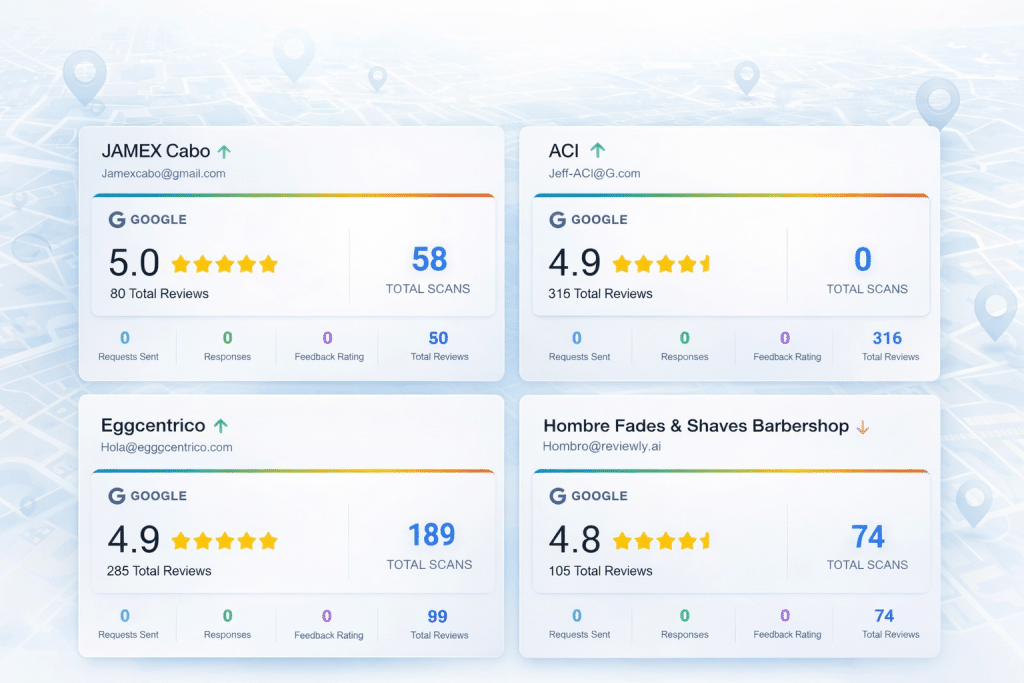
This centralized view is especially important for multi-location brands because it provides visibility at both the local level and the brand level.
Platforms like Reviewly.ai provide this type of centralized Google review dashboard out of the box. Rather than building custom integrations or relying on spreadsheets, businesses can instantly view reviews from every connected Google Business Profile inside a single system as well as reply to all reviews right from a single dashboard.
With a centralized dashboard, teams can:
This structure makes collaboration far easier. A location manager can handle day-to-day responses, while regional leadership can monitor patterns and intervene when necessary.
For example, if multiple locations begin receiving similar complaints about wait times or scheduling, leadership can identify the trend quickly and investigate operational changes before the issue spreads further.ainst response-time savings, and confirm data retention supports historical reporting and compliance requirements.
One of the biggest challenges in multi-location review management is simply discovering reviews quickly enough. When teams find out about new feedback hours or days later, response times slow down and negative sentiment can compound. For brands managing dozens or even hundreds of locations, relying on someone to manually check each Google Business Profile is unrealistic.
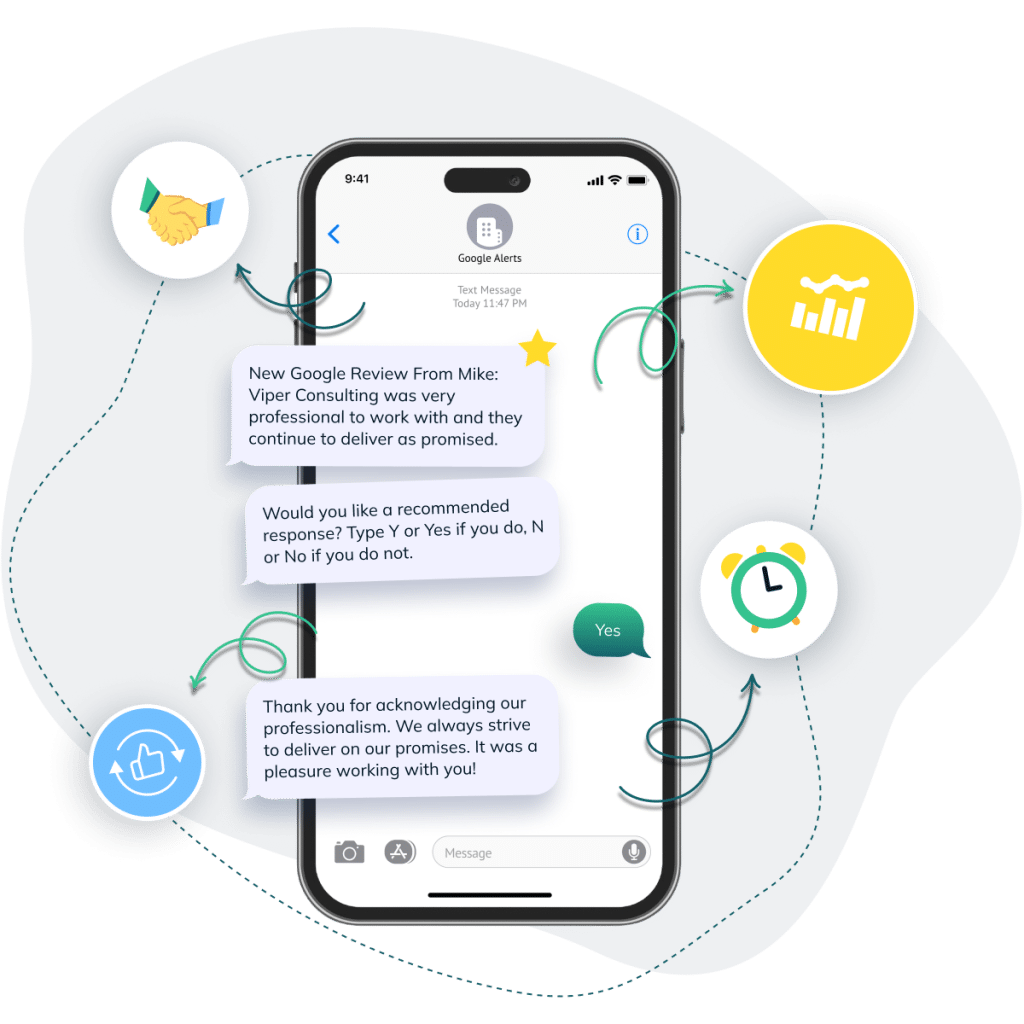
Automation solves this problem by turning review monitoring into a real-time system. Instead of periodically checking profiles, businesses can receive instant notifications the moment a new Google review is posted. This allows the right person to respond quickly and ensures no feedback slips through the cracks.
Platforms like Reviewly.ai take this one step further by automating the entire review management workflow. After a customer interaction, businesses can automatically send a text message asking the customer to leave a Google review. If the customer leaves a review, Reviewly immediately notifies the business via SMS so the team knows new feedback has arrived.
From there, the entire process can happen directly from a phone. The notification message includes the review details and allows the business to respond to the review without needing to log into a dashboard or open their Google Business Profile separately. For busy managers who spend most of their time on the floor or moving between locations, this makes review management far more practical.
This type of automation dramatically reduces the time between when a review is posted and when a response appears. Customers see that the business is attentive, managers stay informed without constantly checking dashboards, and leadership gains confidence that every location is staying engaged with customer feedback.
Negative reviews shouldn’t be improvised by whoever happens to be online.
Create escalation playbooks so your teams know exactly what to do depending on the risk level.
Escalate immediately when reviews involve:
For non-urgent negatives, the playbook should still enforce:
Add approval gates for high-risk situations so you don’t create bigger problems with the response itself.
Three things make scalable Google review replies work across dozens (or thousands) of locations: a consistent structure, smart personalization, and clear governance.
Templates are how you scale without sounding robotic.
The key is using a consistent structure while leaving room for personalization. A practical backbone is:
| Step | Purpose | Example |
|---|---|---|
| Greeting | Open the response in a friendly and welcoming way. | “Hi Sarah,” |
| Thank You / Acknowledgement | Thank the customer for taking the time to leave feedback. | “Thank you for taking the time to share your experience.” |
| Reference Something Specific | Mention a detail from the review to show the response is personal and not generic. | “We’re glad our team made the process smooth for you.” |
| Next Step | Reinforce the relationship or address any concerns. | “We look forward to helping you again soon.” |
| Sign-off | Close the response professionally on behalf of the business. | “– The ABC Plumbing Team” |
Then use light personalization fields (1–2 max) like:
| Personalization Field | When to Use | Example |
|---|---|---|
| Location | Helpful for multi-location brands responding from different branches. | “Thanks for visiting our Dallas location.” |
| Service Type | Mention the service the customer received when relevant. | “We’re glad your roof inspection went smoothly.” |
| Staff Mention | Only include when the customer specifically names a staff member. | “We’ll make sure John sees your kind words.” |
Over-personalization can feel creepy. Under-personalization feels automated. The goal is “human enough, consistent always.”
Once you’re replying in the right language and tone at each store, you need KPIs that prove your review management works—and show exactly where it breaks.
At minimum, monitor:
Then use the data for coaching, not punishment.
Identify top-performing locations, replicate their habits, and support locations that are falling behind with better training, staffing, or process adjustments.
Multi location review management becomes scalable when it’s measurable.
Multi location review management works when your brand treats it like a system — not an afterthought.
Assign owners. Set realistic SLAs. Centralize visibility. Organize feedback by location and topic. Use alerts to reduce time-to-detect. Escalate risk properly. Scale responses with templates and localization. Track KPIs and coach continually.
When you do that, every location feels coordinated — and every customer sees a brand that’s attentive, consistent, and trustworthy.
Jeff Schwerdt is the Founder & CEO of Reviewly.ai, a review management platform that helps businesses turn customer feedback into measurable growth. With over 10 years of experience in online reputation management, Jeff works with small and mid-sized businesses to build trust, improve local search visibility, and drive more revenue through smarter review strategies.

Gain insights into the intriguing world of AI-generated reviews and learn more about what is a AI review.
Discover 9 powerful local SEO strategies to drive more traffic, customers, and visibility to your small business. Easy to implement, proven to work.
Just when you thought local rankings were about location alone, these critical Google Business Profile ranking factors determine who truly dominates search results.
Frustrated agencies transform client management with white label CRM software, but what happens when it becomes more than just a tool?
Get ahead of corporate crises with these 10 essential tips for effective management that can save your organization from sinking—discover the full guide now.
Gear up to revolutionize your small businesses social media presence with our seven proven strategies! A game-changer waiting to be explored!